

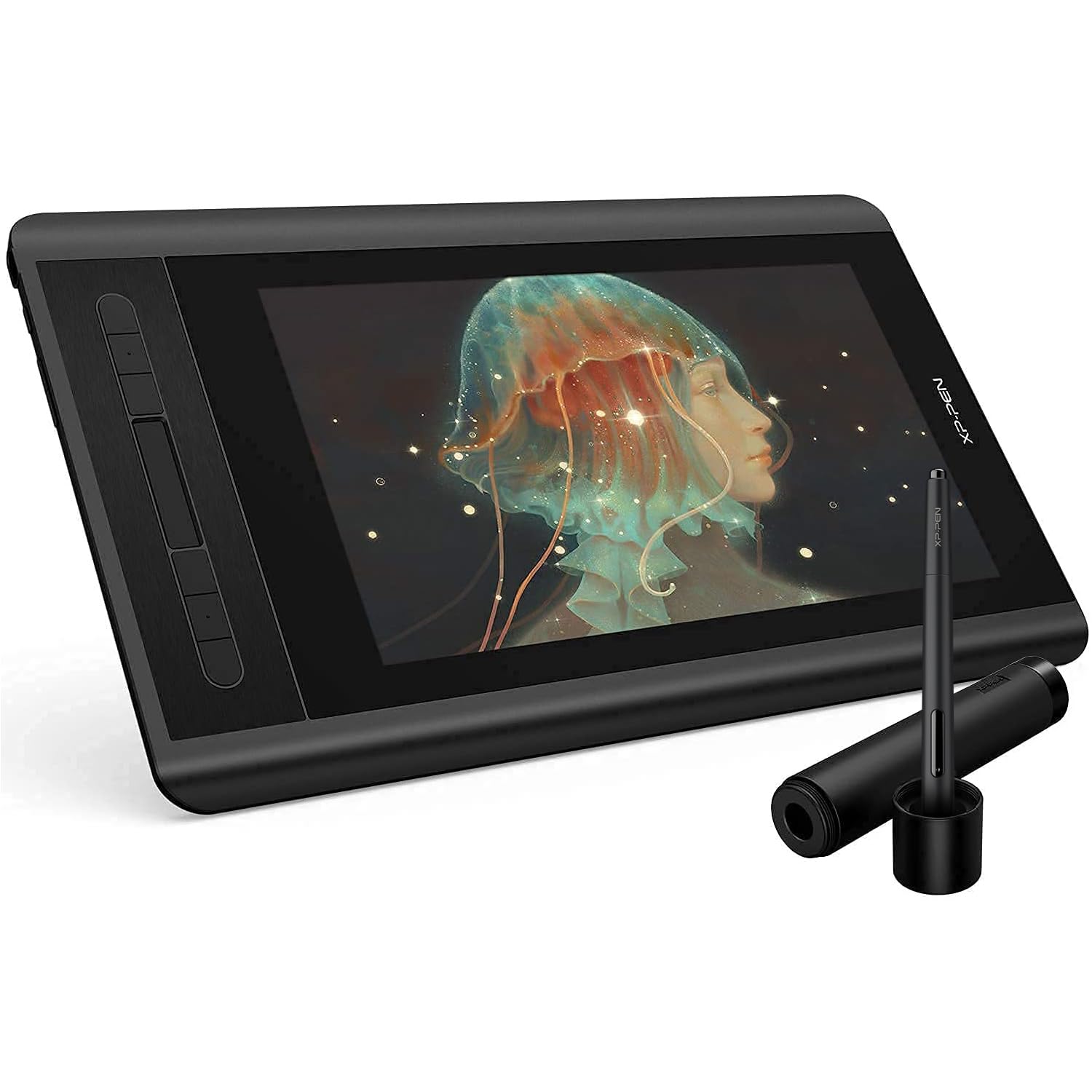
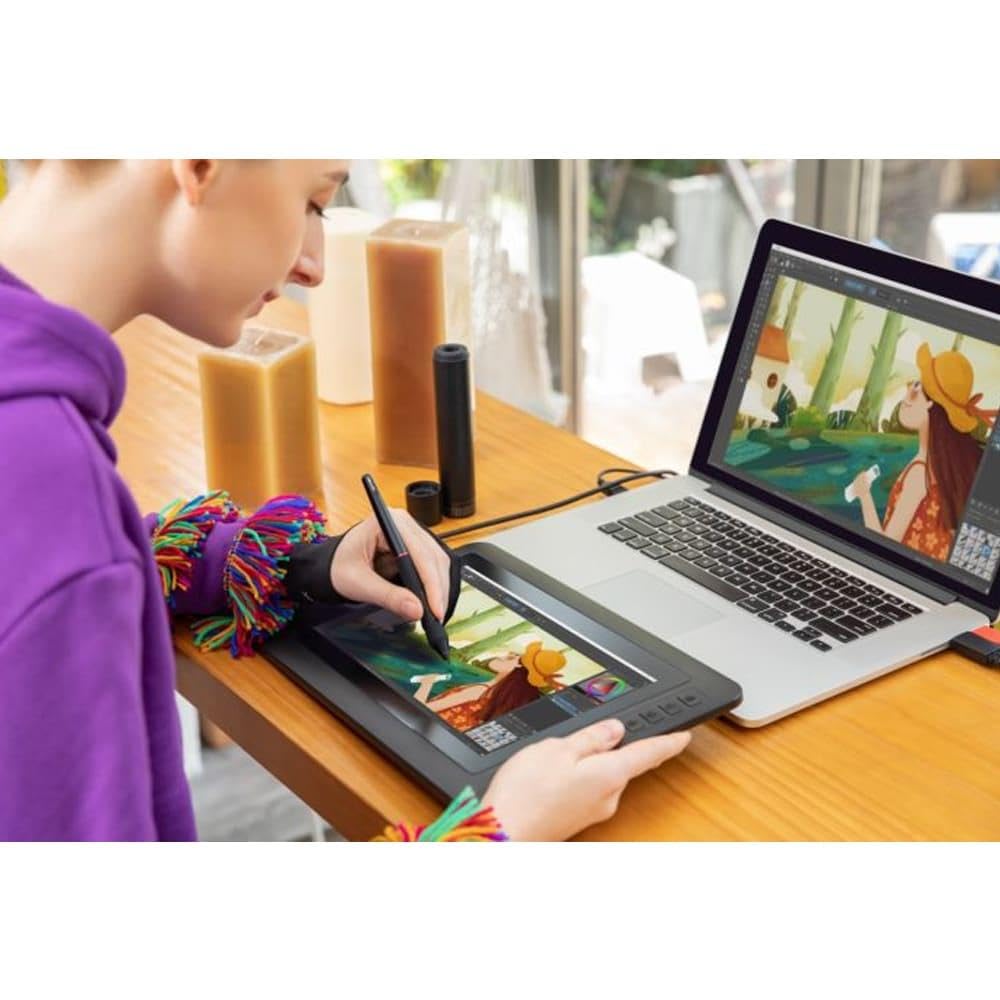
XP-PEN Artist12 11.6 Inch FHD Drawing Monitor Pen Display Graphic Monitor with PN06 Battery-Free Multi-Function Pen Holder and Glove 8192 Pressure Sensitivity
Inhouse product
- [Warm Reminder: Artist12 drawing pen display must be used with a computer] XP-PEN’s latest smallest 1920x1080 HD display paired with 72% NTSC(100%SRGB) Color Gamut, presenting vivid images, vibrant colors and extreme detail for a stunning display of your artwork. Features a slim touch bar that can be programmed to zoom in and out on your canvas, scroll up and down, and more
- Artist12 pen tablet come with 11.6 Inch display area, equipped with 8192-levels of pressure sensitivity and 6 handy shortcut keys, comes with the anti-reflective coating, included with the Multi-function Pen Holder
- XP-PEN advanced P06 passive pen was made for a traditional pencil-like feel! Featuring a unique hexagonal design, non-slip & tack-free flexible glue grip, partial transparent pen tip, and an eraser at the end! Delivering technical sense, high efficiency, with a fashionable and comfortable grip
- Artist12 Pen display is HD IPS display. It’s ideal for drawing, photography, animation, fashion, Sketching, Image editing, 3D sculpting, drawing beginners, Art painting Amateur, architecture design and more
- XP-PEN Artist 12 supports Windows 10/8/7(32/64bit), MAC OS 10.10 and higher. Compatible with Photoshop, Illustrator, SAI, CDR, Painter, SketchBook Pro, MediBang, Clip Studio and more. XP-Pen provides one-year warranty and lifetime technical support for all our pen tablets/displays
Product Description Important Notice: 1. Artist12 is NOT a standalone product!!! This device must be connected to a computer to work. It is compatible with Windows system 10/8/7(32/64bit), Mac OS X version 10.10 or later. 2. About the Protective Film Artist12 drawing pen display comes with protective covers(plastic layer) to avoid damages to the surface from hand grease, scratches, etc. Please peel off the protective covers(plastic layer) before the application! The real protective film is under the protective covers(plastic layer). 3. Connection Tips Your computer needs to have HDMI and USB ports available for the connection, if not, you need an adapter to convert for the connection. Please confirm the Black USB Cable and the HDMI Cable completely plug into your computer. For the Red USB Cable, if your computer cannot supply enough power, please plug it to the wall plug. If your computer only has Type-c ports, you need a Type-c to HDMI and USB adapter for the connection. Other Tips: After connecting all the cables in the correct places, please wait about 30s~1min to make the USB Hardware driver loaded successfully. 4. Driver Download and Installation Tips Driver Download: Our driver will be regularly updated, so please go to our official web to download the newest driver, and install it on your computer. 4.1 Before Driver Installation: Please Remove Other Brand’s Driver from your computer and reboot before installing the XP-PEN’s driver, or there will driver conflict problems. 4.2 For Windows Users: Please close all drawing programs and run the driver as Administrator when installing the driver. (IMPORTANT) 4.3 For Mac Mojave (10.14), Catalina (10.15) Users: Our driver is compatible with Mac OS Mojave (10.14), Catalina (10.15), If your operating system is the newest Mojave (10.14) or Catalina (10.15), please install the newest released driver on your computer and reference to the FAQ “How to installed driver in Mojave 10.14/ Catalina 10.15” on the XP-PEN Website. 5. XP-PEN Provides Lifetime Support on all Our Drawing Pen Tablets/Displays When you have problems with the use of the Artist12, please checks the Quick Guide, search XP-Pen online to find a way to us for further assistance, we are always standing by to help! This device must be connected to a computer to work! Latest Smallest Drawing Pen Tablet A super-portable screen with an 11.6 Inch display area, conveniently placed on your tabletop or anywhere as you like to simplify your work space. 72% NTSC Color Gamut and 178° viewing angle, presenting vivid image, vibrant colors and extreme detail for a stunning visual of your artwork. And the anti-reflective coating greatly reduces glare for eyes protection. Making your screen look clear and beautiful, even if it’s bright out. HD Drawing Display 1920x1080 HD display resolution, providing you with precise accuracy to draw and paint naturally with smooth, enhanced, performance. You will be sure to enjoy creating directly onto this high-definition display. Enjoy the high quality glass design which gives you high precision and prevents dust build up. Expand your creativity and work naturally and intuitively. Artist12 drawing monitor meets the needs of all types of digital artists. Simplify your workflow XP-PEN Artist 12 features 6 handy shortcut keys with a slim touch pad. Each shortcut key can be customized as needed to fit you preferred tool while your touch bar can be programmed to zoom in and out on your canvas, scroll up and down, and more. These customization options allow you to optimize your workflow, to create your ideas faster and more efficiently. Traditional pencil-like feel! Latest battery-free P06 stylus, featuring a unique hexagonal design, non-slip & tack-free flexible glue grip, partial transparent pen tip, and an eraser at the end! Delivering technical sense, high efficiency, with a fashionable and comfortable grip! Our pen holder is included to keep your pen and pen nibs safe. It can be used as a pen stand or
Related products



Contact Info
- Address: 1900 W Littleton Blvd, Littleton, CO 80120, United States